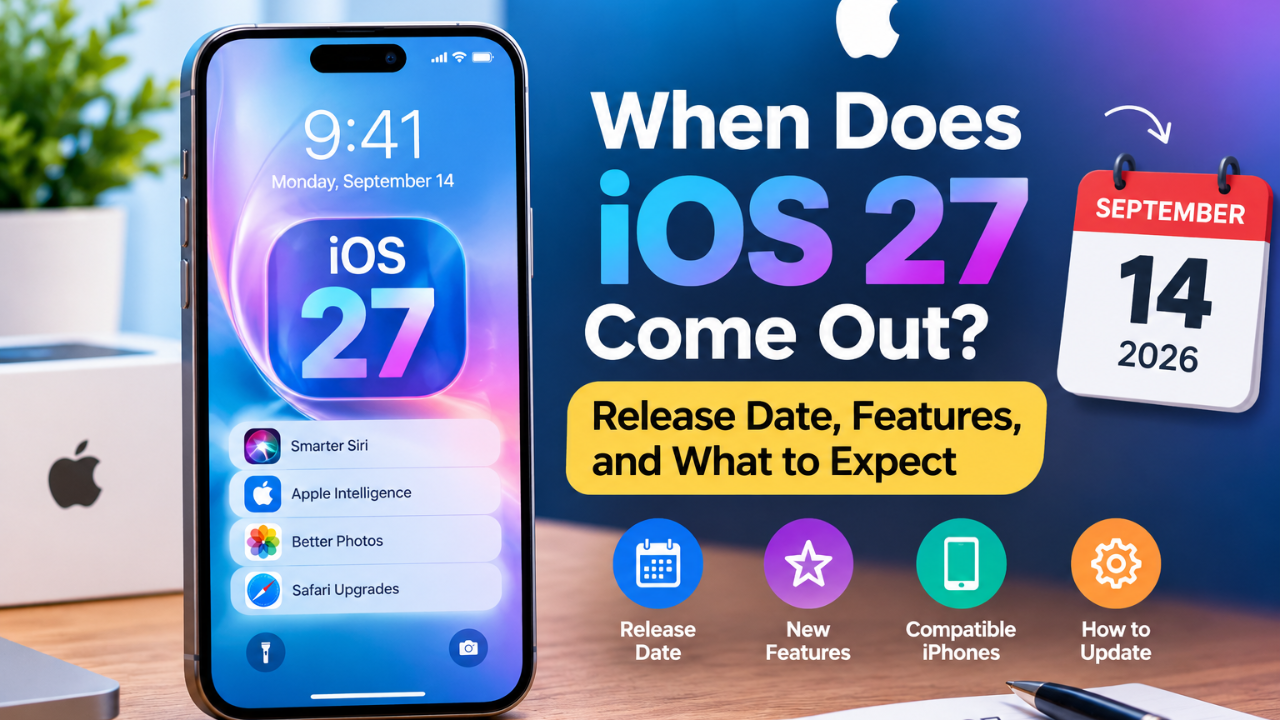
If you are wondering when does iOS 27 come out, Apple has confirmed that the new iPhone software will become available on Monday, September 14, 2026.
The release is the result of several months of developer and public beta testing. For iPhone users, however, the most important questions are not limited to the date. You may also want to know whether your iPhone is supported, what is actually new, which Apple Intelligence features are available, and whether you should install the update immediately.
This guide covers those questions in one place, with a focus on what iPhone owners can realistically expect from the public release.
When Does iOS 27 Come Out?
iOS 27 comes out on September 14, 2026.
Apple has confirmed the date alongside its latest iPhone announcements. The new software will be available as a free update for supported iPhone models.
One detail is worth knowing before release day: Apple has confirmed the date, but it has not published a universal release hour or a country-by-country rollout schedule. That means you should not assume that every eligible iPhone will display the update at exactly the same minute.
If iOS 27 does not appear immediately, check again later through the Software Update screen.
iOS 27 Release Date at a Glance
| Detail | Information |
|---|---|
| Public release | September 14, 2026 |
| Cost | Free software update |
| Compatible devices | Supported iPhone models |
| Beta testing | Developer and public beta completed before launch |
| Update location | Settings → General → Software Update |
Apple’s wording establishes September 14 as the starting date, rather than promising one exact worldwide release time.
Which iPhones Support iOS 27?
Compatibility is one of the first things you should check before installing a major software update.
Apple’s current compatibility information covers iPhone 11 and later, as well as iPhone SE (2nd generation and later).
That includes newer generations such as the iPhone 12, 13, 14, 15, 16, 17 and the latest iPhone models.
However, there is an important difference between running iOS 27 and having access to every feature in iOS 27.
Some advanced capabilities depend on newer hardware. Apple Intelligence features in particular can have additional device, language and regional requirements.
Does every compatible iPhone get every iOS 27 feature?
No.
A phone can be eligible for the operating-system update while certain individual features remain unavailable because of hardware or other requirements.
This is especially important if you are interested in Apple’s newer AI capabilities.
So, when checking your device, ask two separate questions:
- Can my iPhone install iOS 27?
- Which iOS 27 features does my particular iPhone support?
The second question is often more useful than simply checking the operating-system version.
What’s New in iOS 27?
iOS 27 focuses heavily on intelligence, personalization and improvements to the everyday iPhone experience.
Some of the most notable areas include:
- A more capable Siri experience
- Additional Apple Intelligence features
- New image and photo capabilities
- Safari improvements
- Further Liquid Glass refinements
- Expanded parental controls
- iPhone Handoff
- Additional improvements across supported system apps
The exact experience varies according to the iPhone model and feature availability.
Siri AI Is One of the Biggest Changes
Siri is one of the most important areas of Apple’s iOS 27 update.
The newer Siri experience is designed to understand more context and handle interactions that go beyond simple commands.
For supported users, Siri can become more useful when a request depends on information already present on the device or displayed on the screen.
But there is an important limitation: not every Siri AI capability will be available to every user at launch.
Apple’s current rollout information indicates that the advanced Siri experience begins with limited language availability, with additional languages coming later.
This means that the experience you see on your iPhone can depend on your language and region as well as your hardware.
Apple Intelligence in iOS 27
Apple Intelligence continues to play a major role in Apple’s software strategy.
With iOS 27, Apple’s intelligence features extend across areas such as photos, image creation, Safari, Shortcuts and Siri.
Some processing can take place directly on the device, while Apple’s Private Cloud Compute technology can be used for supported requests that require additional processing.
The important point is that Apple Intelligence is not one single feature.
It is a collection of capabilities with different requirements.
That is why two iPhones running the same version of iOS may not necessarily offer exactly the same AI functions.
New Photo and Image Features
iOS 27 also expands Apple’s image-related tools.
Supported users can access features designed to make editing and modifying images easier, including tools for removing unwanted elements and working with generated or adjusted images.
These improvements are particularly useful for people who normally need a separate editing app for simple changes.
As with other Apple Intelligence functions, availability depends on the device and other requirements.
Safari Gets Smarter
Safari also gains new capabilities intended to make web browsing more useful.
Among the highlighted possibilities are tools that can help users keep track of changes on websites, such as certain price changes or product availability.
For someone who regularly checks the same products or pages, that can save time compared with manually revisiting a website.
The feature is best understood as an additional Safari capability rather than a replacement for normal web browsing.
Liquid Glass Refinements
Apple continues to develop its Liquid Glass design language in iOS 27.
The interface receives further refinements, with attention to consistency and personalization.
For users, these changes may be more noticeable in everyday navigation than individual headline features because they affect the overall look and feel of the operating system.
The exact visual experience can still vary between devices.
Better Parental Controls
Parents also get additional tools for managing children’s iPhone use.
These controls can help families manage areas such as:
- Communication
- App access
- Screen and device usage
- What children can access
- When certain features can be used
If you use parental controls, it is worth reviewing the settings after upgrading rather than assuming everything will automatically match your previous preferences.
iPhone Handoff
Another interesting addition is iPhone Handoff.
The feature is designed to make it possible to move between two iPhones using the same phone number when the required hardware and carrier support are available.
Carrier compatibility is important here.
Apple has indicated that availability initially depends on supported carriers, so simply installing iOS 27 does not guarantee that Handoff will work with every mobile provider.
Will Apple Intelligence Work on My iPhone?
This is probably the most important question for owners of older compatible iPhones.
The answer depends on your specific model.
An iPhone can be compatible with iOS 27 without supporting every advanced Apple Intelligence capability.
Hardware requirements matter because some AI functions require processing capabilities that are available only on newer devices.
Language and region can also affect availability.
Therefore, if you are upgrading specifically for Siri AI or another Apple Intelligence feature, check the requirements for that individual feature instead of relying only on the general iOS 27 compatibility list.
How to Check Your iPhone Model
If you do not know which iPhone you have, you can check it directly from the device.
Open:
Settings → General → About
Look for the Model Name.
Once you know the model, you can compare it with Apple’s current compatibility information.
This is better than guessing based on the phone’s appearance because several iPhone generations can look similar.
How to Install iOS 27
Once the update is available, installing it is straightforward.
1. Back Up Your iPhone
Before installing any major software update, create a current backup using iCloud or a computer.
This gives you additional protection if you encounter an unexpected problem.
2. Check Your Storage
Open:
Settings → General → iPhone Storage
If your storage is almost full, remove unnecessary files or apps before starting the update.
3. Connect to Wi-Fi
Use a stable Wi-Fi connection when downloading the update.
4. Keep the iPhone Charged
Connect the phone to power or make sure it has sufficient battery before beginning the installation.
5. Install the Update
Go to:
Settings → General → Software Update
If iOS 27 is available for your device, select Download and Install.
Follow the instructions shown on the screen and allow the iPhone to restart if required.
What If iOS 27 Does Not Appear?
Don’t immediately assume that your phone is incompatible.
Several things can affect what you see:
- The update may not have appeared on your device yet.
- Apple’s servers may be experiencing heavy demand.
- Your iPhone may not meet the requirements.
- You may not have enough available storage.
- A beta configuration may affect which update you see.
Start by checking your model and storage, then return to Settings → General → Software Update later.
Apple’s own guidance is to keep the device connected to power and Wi-Fi when preparing for an update.
Should You Install iOS 27 on Day One?
That depends on how you use your iPhone.
If you want the newest features and are comfortable installing a major update immediately, there is a good reason to update when the public release becomes available.
On the other hand, people who depend on their iPhone for work, travel or other important tasks may prefer to wait and see whether early users report serious bugs or app compatibility problems.
A practical approach is to:
- Back up your iPhone first.
- Make sure important apps work with the new system.
- Check your available storage.
- Update while connected to reliable Wi-Fi.
- Keep your charger nearby.
- Avoid starting the update immediately before an important trip or deadline.
What Happens to the iOS 27 Beta?
If you have been testing a beta version of iOS 27, the public release marks the transition from testing toward the normal public software channel.
If you do not want to continue receiving beta updates, check:
Settings → General → Software Update → Beta Updates
From there, you can turn beta updates off.
Turning beta updates off does not necessarily downgrade the iPhone immediately. The device can remain on the installed beta until an appropriate public version becomes available.
Is iOS 27 Free?
Yes.
iOS 27 is a free software update for compatible iPhones.
You do not need to purchase a new iPhone simply to receive the operating-system update.
However, a newer iPhone can provide access to hardware-dependent capabilities that older supported devices may not offer.
That distinction is particularly important for Apple Intelligence.
What Should You Do Before Updating?
If you want a smooth installation, prepare your iPhone before release day.
Check these five things:
1. Your model
Confirm that your iPhone is supported.
2. Your backup
Make sure important information is backed up.
3. Your storage
Free up space if necessary.
4. Your important apps
Check apps you depend on for work, banking, travel or communication.
5. Your desired features
If you mainly want Siri AI or another Apple Intelligence feature, verify that your device and language support it.
Frequently Asked Questions
When does iOS 27 come out?
iOS 27 becomes publicly available on Monday, September 14, 2026, for compatible iPhones.
What time will iOS 27 be released?
Apple has confirmed September 14 as the release date but has not published a single worldwide release hour or a country-by-country rollout schedule.
Which iPhones support iOS 27?
Apple’s current compatibility range includes iPhone 11 and later and iPhone SE (2nd generation and later).
Is iOS 27 free?
Yes. It is a free software update for compatible iPhones.
Will every iPhone get the same iOS 27 features?
No. Some features have additional hardware, language or regional requirements.
Will Siri AI be available immediately?
The more advanced Siri experience begins rolling out with iOS 27, but availability can vary by language and region. Apple has indicated that additional language support will arrive later.
How do I install iOS 27?
Open Settings → General → Software Update and follow the instructions if the update is available for your device.
Should I update immediately?
If you want the latest features, you can update after making a backup. If your iPhone is essential for work or travel, waiting for early stability reports is also reasonable.
Final Answer: Is iOS 27 Worth Installing?
For most compatible iPhone owners, iOS 27 is an update worth considering.
The biggest reason to upgrade will vary from person to person. Some users will care most about Siri and Apple Intelligence, while others may be more interested in the design changes, parental controls, Safari improvements or other everyday refinements.
The most important thing is to set realistic expectations.
Not every compatible iPhone receives every iOS 27 feature.
Before updating, check your exact iPhone model and the requirements for the features you actually want to use.
If your device is supported, your data is backed up and you have enough storage, you can install iOS 27 through the normal Software Update screen when Apple makes it available.
iOS 27 arrives September 14, 2026. For users who want Apple’s latest iPhone experience, it is one of the year’s most significant software updates.