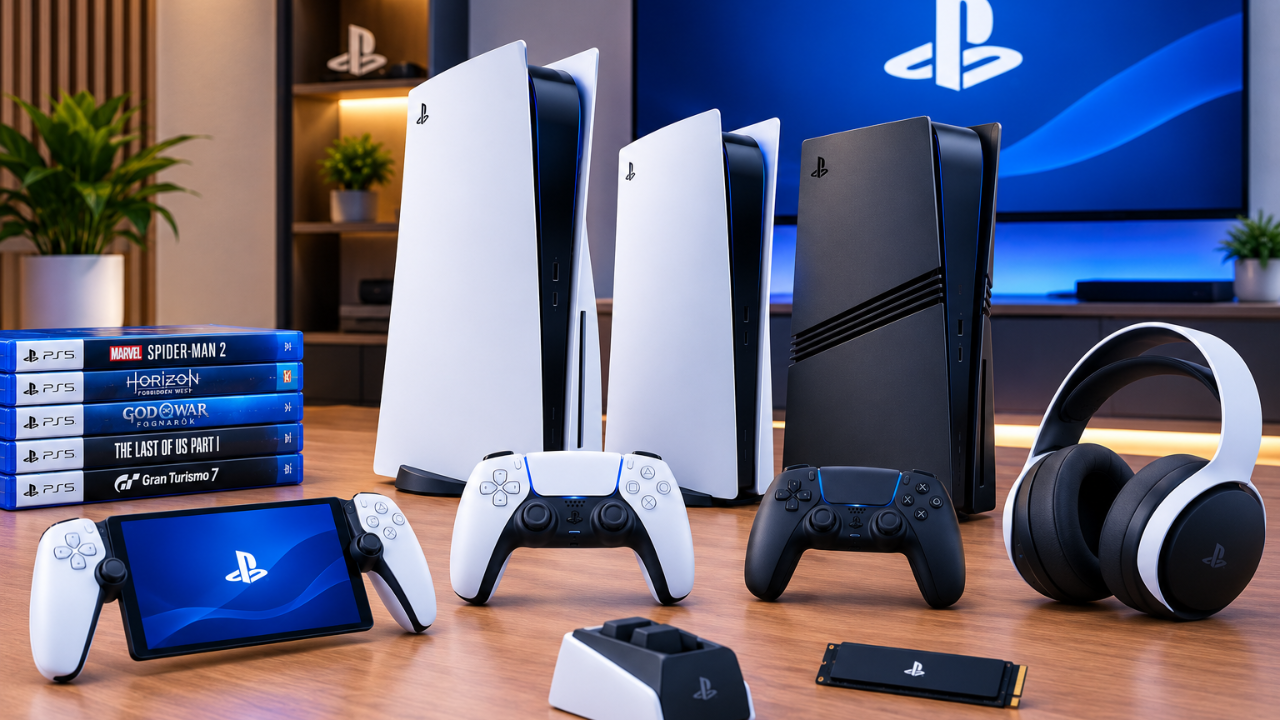
Sony PlayStation is one of the most established names in modern gaming, but the PlayStation ecosystem has become much bigger than a single console. Today, players can choose between different PS5 models, buy games digitally or physically, subscribe to PlayStation Plus, use accessories such as the DualSense controller and play remotely with PlayStation Portal.
That variety is useful, but it can also make buying decisions confusing.
Should you buy the standard PS5 or PS5 Digital Edition? Is the PS5 Pro worth the extra money? Do you need PlayStation Plus? Which accessories are actually useful? And what should you know about PS5 backward compatibility?
This Sony PlayStation guide answers those questions in one place and explains the major parts of the PlayStation ecosystem so you can choose the setup that fits your budget and gaming habits.
What Is Sony PlayStation?
Sony PlayStation is the gaming platform and brand operated by Sony Interactive Entertainment. It includes PlayStation consoles, games, digital services, accessories and online features.
The current generation is built around the PlayStation 5, commonly called the PS5. Sony’s official PS5 information highlights features including its high-speed SSD, 3D Audio, advanced graphics capabilities and DualSense controller technology.
The PlayStation ecosystem includes:
- PS5 consoles
- PS5 games
- Compatible PS4 games
- PlayStation Store
- PlayStation Plus
- DualSense wireless controllers
- Gaming headsets and other accessories
- PlayStation Portal
- Remote Play
- Digital and physical game options
This means choosing PlayStation is not simply about selecting a console. Your decision can also depend on how you purchase games, what type of TV or monitor you use and whether online multiplayer or a game subscription matters to you.
PS5 Models Compared
For shoppers in the United States, Sony currently lists three major PS5 configurations: the standard PS5, PS5 Digital Edition and PS5 Pro. Sony’s current direct store lists the 1TB PS5 at $649, the 825GB PS5 Digital Edition at $599 and the 2TB PS5 Pro at $899. Prices can vary by country, retailer, promotions and future changes, so buyers outside the US should check their local PlayStation store or authorized retailer.
| PS5 Model | Best For | Disc Drive | Storage | Main Advantage |
|---|---|---|---|---|
| PS5 | Most players | Yes | 1TB | Physical + digital flexibility |
| PS5 Digital Edition | Digital buyers | No | 825GB | Lower starting price |
| PS5 Pro | Enthusiasts | Not included | 2TB | Enhanced graphics and performance |
PS5: Best Overall Choice
The standard PS5 is the most flexible option for many players.
Its biggest advantage is the ability to use physical games while still supporting digital purchases. That gives you more options when shopping for games.
Physical games can sometimes be found at discounted prices, purchased second-hand or borrowed from another person. Digital games, meanwhile, can be downloaded directly from the PlayStation Store.
The standard PS5 is a strong choice if you:
- Want physical and digital game options.
- Buy used games.
- Like collecting physical discs.
- Want a powerful current-generation console without paying the PS5 Pro premium.
- Have a 4K TV or gaming monitor.
For many households, this is the easiest PS5 model to recommend because it provides flexibility without requiring you to commit entirely to digital purchases.
PS5 Digital Edition
The PS5 Digital Edition is designed for players who purchase games through the PlayStation Store.
Because the console does not include a standard disc drive, physical game discs are not part of the normal setup.
That can make the console attractive to digital-first gamers, particularly people who regularly buy games during PlayStation Store sales or use digital services.
However, there is an important trade-off.
Digital purchases generally cannot be resold like physical discs. You also cannot simply borrow a friend’s physical copy and install it on a disc-free console.
Choose the PS5 Digital Edition if you:
- Buy almost all games digitally.
- Prefer a disc-free setup.
- Regularly use digital discounts.
- Do not care about buying or selling used games.
- Want to reduce the initial console cost.
Before buying, check the exact model and regional availability of any optional disc-drive solution, because hardware configurations can change.
PS5 Pro: Is It Worth It?
The PS5 Pro is Sony’s premium PS5 model for players who want enhanced graphics and higher-end performance.
Sony highlights features such as advanced ray tracing, sharper image quality and high-frame-rate gameplay in supported games.
The PS5 Pro is not necessarily designed to make every game look dramatically different. Its biggest advantage appears in games that have been optimized to take advantage of its additional graphical capabilities.
It can be particularly attractive if you:
- Own a high-quality 4K TV.
- Care strongly about image quality.
- Want improved ray tracing.
- Prefer higher or more consistent frame rates.
- Play supported PS5 Pro-enhanced titles.
- Are comfortable paying more for premium hardware.
The Pro is therefore more of an enthusiast choice than a universal recommendation.
For someone who mainly wants to play the same PS5 games without focusing heavily on graphical improvements, the standard PS5 may provide better value.
PS5 vs PS5 Pro: Which One Should You Buy?
The simplest way to decide is to consider your priorities.
Choose PS5 if:
You want excellent performance, physical and digital flexibility and a lower overall cost.
Choose PS5 Digital Edition if:
You are comfortable buying games digitally and do not need physical discs.
Choose PS5 Pro if:
You have a premium display and want to get the most graphics performance available from the PlayStation console lineup.
The most expensive console is not automatically the best console for every player.
Your TV, games, budget and playing habits should determine the choice.
What Games Can You Play on PlayStation 5?
PS5 offers a broad library that includes Sony’s first-party franchises, major third-party games and independent releases.
Popular PlayStation-associated franchises include:
- Astro Bot
- God of War
- Gran Turismo
- Horizon
- Marvel’s Spider-Man
- The Last of Us
- Ratchet & Clank
- Uncharted
- Ghost of Tsushima
However, game availability can change over time. Some PlayStation titles may also become available on PC, while others can have platform-specific launch arrangements.
For that reason, if a particular game is the main reason you want to buy a PS5, check its current platform availability rather than relying on an old “exclusive games” list.
PlayStation Backward Compatibility
One of the advantages of the PS5 is compatibility with a large portion of the PS4 library.
This makes the PS5 more useful for people upgrading from an older PlayStation console because they may not need to abandon their existing game collection.
However, backward compatibility does not mean that every historical PlayStation title automatically works on PS5.
If you own a specific PS4 game and compatibility is important to you, check that individual title before purchasing the console.
What Is PlayStation Plus?
PlayStation Plus is Sony’s subscription service for PlayStation users.
The service currently has three main membership levels:
- PlayStation Plus Essential
- PlayStation Plus Extra
- PlayStation Plus Premium
Each level builds on the benefits of the previous tier. Sony currently describes benefits including online multiplayer, monthly games, discounts, cloud storage and access to game catalogs depending on the membership level.
PlayStation Plus Essential
Essential is the entry-level PlayStation Plus plan.
It is designed for players who mainly want core membership benefits such as:
- Online multiplayer for supported paid games.
- Monthly games.
- Exclusive PlayStation Store discounts.
- Cloud storage.
- Share Play and other member features.
You do not necessarily need PlayStation Plus for every online game. Sony states that most free-to-play games do not require a membership for online multiplayer.
PlayStation Plus Extra
Extra includes the Essential benefits and adds access to a Game Catalog containing a large selection of PS4 and PS5 games.
This can make Extra attractive to players who want to try many games rather than buying every title separately.
There is an important limitation: subscription catalog games are not equivalent to games you permanently own.
The catalog can change, and games can leave the service.
PlayStation Plus Premium
Premium is the highest PlayStation Plus tier.
Sony lists additional benefits such as:
- Game Trials
- Classics Catalog
- Cloud streaming for supported games and regions
- Game Catalog
- Monthly games
- Online multiplayer
- Exclusive discounts
- Cloud storage
Sony also currently promotes cloud streaming for selected PS5 games on compatible PlayStation consoles and PlayStation Portal.
Premium is most useful for players who actually use these additional features. If you mainly need online multiplayer and monthly games, the cheaper tier may be sufficient.
Physical vs Digital PlayStation Games
One of the biggest decisions for PS5 buyers is whether physical or digital games are better.
| Feature | Physical Games | Digital Games |
|---|---|---|
| Used games | Yes | No |
| Resale | Possible | Generally not possible |
| Convenience | Disc required | Instant access |
| Storage use | Game installs to storage | Game installs to storage |
| Borrowing | Possible with disc | More restricted |
| Digital sales | No | Frequent |
| Internet download | Updates may still require it | Full game download normally required |
Neither option is universally better.
Physical games provide flexibility through resale, collecting and borrowing.
Digital games are convenient because you can purchase and launch them without changing discs.
Your buying habits should determine which format works best.
Best PlayStation Accessories
A PS5 already includes a DualSense controller, but several accessories can make the setup more convenient.
DualSense Controller
The DualSense wireless controller is one of the defining PS5 accessories.
It includes features such as haptic feedback and adaptive triggers, which supported games can use to create more detailed physical feedback.
A second controller can be useful for local multiplayer.
PS5 Storage Expansion
Modern games can consume a significant amount of storage, so additional storage can become useful over time.
Compatible M.2 SSD storage can expand the console’s capacity, but the drive needs to meet Sony’s technical requirements.
Do not buy an SSD based only on capacity or price. Check compatibility, performance and physical requirements before installation.
Gaming Headset
A compatible headset can improve communication in multiplayer games and let you hear game audio without using the TV speakers.
For competitive games, clear positional audio can also be useful.
Charging Station
A DualSense charging station can keep controllers ready without repeatedly connecting USB cables.
It is not essential, but it can make a multi-controller setup more convenient.
What Is PlayStation Portal?
PlayStation Portal is a remote player designed primarily for playing compatible games from a PS5 over a network connection.
It is particularly useful when the main TV is occupied.
For example, you could use your PS5 in the living room while another person is watching TV, then use PlayStation Portal elsewhere in the home.
However, it should not be viewed as a direct replacement for a PS5 console.
Your experience also depends heavily on network quality. A fast internet package does not automatically guarantee perfect Remote Play performance because Wi-Fi signal strength, router placement, network congestion and other factors can affect the connection.
How Much Does a PlayStation Setup Really Cost?
The console price is only part of the overall budget.
Depending on your needs, you may also spend money on:
- Games.
- PlayStation Plus.
- Extra storage.
- Additional DualSense controllers.
- A gaming headset.
- Charging accessories.
- A suitable TV or monitor.
This is particularly important when comparing PS5 and PS5 Pro.
A buyer should compare the total setup cost, not just the price printed on the console box.
For example, a player who needs a second controller and additional storage may have a very different final budget from someone who already owns compatible equipment.
How to Choose the Best PlayStation Console
Before buying, answer these questions:
1. Do You Need Physical Games?
If yes, the standard PS5 is usually the more straightforward choice.
If no, the Digital Edition may make sense.
2. Do You Have a High-End Display?
If you have a premium 4K display and care about graphics quality, the PS5 Pro becomes more interesting.
3. How Much Do You Spend on Games?
If you frequently buy used physical games, a disc-equipped PS5 can offer more flexibility.
If you mostly buy during digital sales, the Digital Edition may be suitable.
4. Do You Need PlayStation Plus?
If you mainly play single-player games you purchase yourself, you may not need a higher PlayStation Plus tier.
If you want online multiplayer, monthly games or a large game catalog, Plus can provide more value.
5. Do You Need More Storage?
If you install many large games, plan your storage before buying additional accessories.
Is Sony PlayStation Worth It?
For players interested in current-generation console gaming, Sony PlayStation remains a strong ecosystem because it combines powerful hardware, a broad game library, subscription services and a large accessory ecosystem.
The important thing is choosing the right level.
The standard PS5 is the balanced choice for many people.
The PS5 Digital Edition makes sense for digital-first gamers.
The PS5 Pro is aimed at players who are willing to pay more for enhanced graphics and performance.
PlayStation Plus can add further value depending on whether you want online multiplayer, monthly games, a game catalog or premium features such as cloud streaming and game trials.
Instead of automatically choosing the most expensive option, consider your actual gaming habits, display, game-buying preferences and total budget.
Frequently Asked Questions
Is Sony PlayStation the same as PS5?
No. Sony PlayStation is the broader gaming brand and ecosystem, while PS5 is Sony’s current-generation home console.
Which PS5 is best for most people?
The standard PS5 is generally the most flexible choice because it supports both physical and digital games.
Is PS5 Digital Edition cheaper?
Yes, Sony’s current US direct store lists the PS5 Digital Edition below the standard PS5, although prices vary by market and can change.
Is PS5 Pro better than PS5?
The PS5 Pro is designed to deliver enhanced graphics and performance in supported games. Whether it is worth the extra money depends on your display, games and budget.
Do you need PlayStation Plus to play online?
Many paid games require PlayStation Plus for online multiplayer, while most free-to-play games do not require a membership. Check the requirements of the specific game.
Can PS5 play PS4 games?
PS5 supports a large portion of the PS4 library, although compatibility can vary by individual game.
Is PlayStation Portal a standalone console?
PlayStation Portal is primarily a remote player designed to work with a PS5 rather than replace the PS5 console.
Which PlayStation Plus plan should I choose?
Essential is suitable for core benefits and online multiplayer. Extra is better if you want access to the Game Catalog. Premium is aimed at users who want additional features such as Classics, Game Trials and cloud streaming where supported.
Final Verdict
Sony PlayStation has evolved into a complete gaming ecosystem rather than simply a console brand.
For most buyers, the standard PS5 offers the best balance of flexibility, performance and cost. The PS5 Digital Edition is a better match for players who are fully comfortable with digital purchases, while the PS5 Pro is aimed at enthusiasts who want enhanced visuals and are willing to pay a premium.
PlayStation Plus can further expand the experience through online multiplayer, monthly games, discounts and game catalogs, with Premium adding features such as game trials and cloud streaming where available.
The best PlayStation setup is therefore not necessarily the most expensive one. It is the one that matches your games, your display, your storage needs and the way you actually play.